

01

Students
Turn recorded lectures into revision notes, then into flashcards the week before the exam.
Video to FlashcardsSkip the full watch. Get the key points, chapters and full transcript in seconds, and jump from any point straight to where it was said.
This is what came back for “Inside the Mind of a Master Procrastinator | Tim Urban | TED”, taken straight from its result page. Nothing here was written for this page.
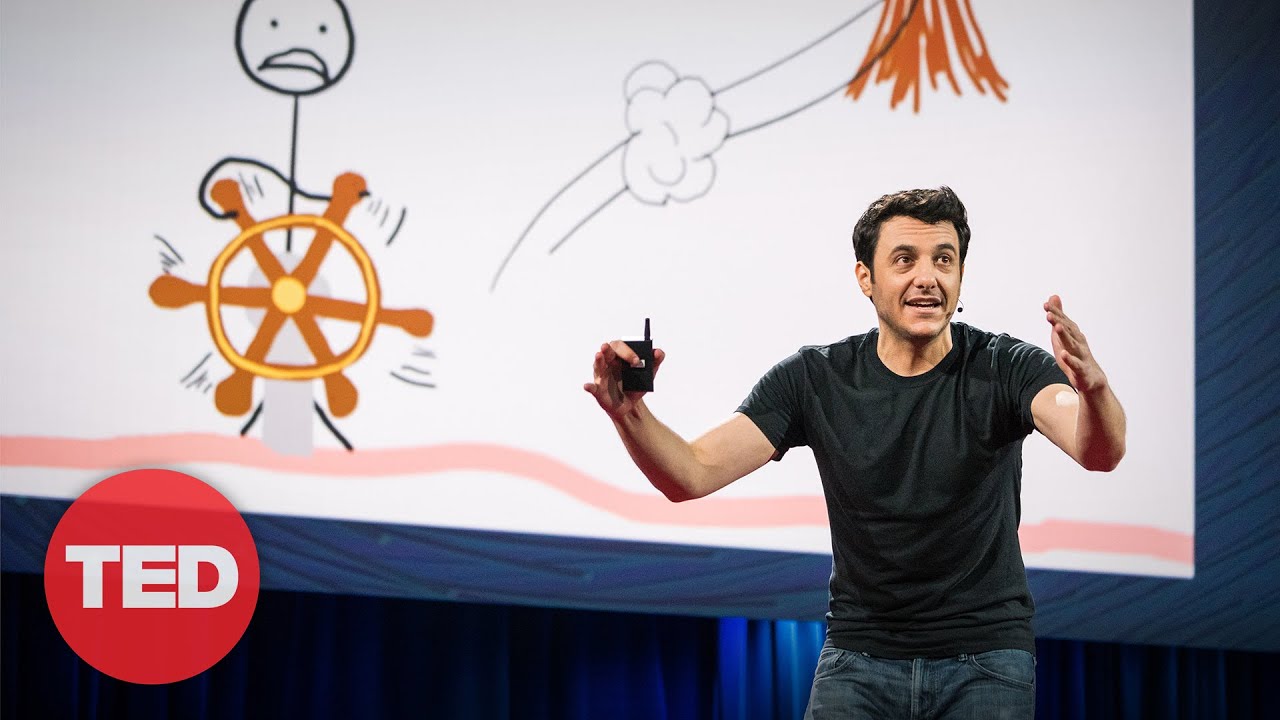
Inside the Mind of a Master Procrastinator | Tim Urban | TED
TED
Procrastination is driven by a psychological conflict between the Rational Decision-Maker, who plans for the future, and the Instant Gratification Monkey, who constantly chases immediate and easy pleasures. While deadlines manage to activate the Panic Monster to force completion of urgent tasks, open-ended life goals—such as career ambitions, relationships, and health—lack deadlines and therefore never trigger this alarm. Consequently, this invisible, long-term procrastination can linger indefinitely, leaving people feeling like helpless spectators in their finite lives.
An AI video summarizer reads a video's transcript and writes down what it says: the main argument, the key points and the chapters. A 45-minute talk reads in about 90 seconds, so you can tell whether it is worth watching, and where to look if it is.
This AI video summarizer works with YouTube, TikTok and Instagram links and your own audio and video files. Every summary point links to the second it came from, and the full transcript sits beside the summary.
It is built for the videos you keep putting off: an hour-long podcast, a lecture you missed, a TikTok explainer you want to remember, a call you need to quote. Read the summary first, then watch only the part you need.
45 min → 90 sec
A YouTube, TikTok or Instagram link, a direct media link, or an MP4, MOV, MP3 or WAV file up to 100 MB.
You see how many credits it takes before anything is spent. Videos with captions are read in seconds; the rest go through speech-to-text first.
Pick a depth, click any timestamp to hear the original, then open the mind map, make flashcards or ask the video a question.
Click a point and the video plays from the moment it was said, with the matching line lit up in the transcript.
Three lengths of the same summary, made together. Gist is a few sentences, Brief covers the argument, and Full notes reads like careful notes taken while watching.
A long video split into named sections with start times, so a two-hour podcast reads like a table of contents.
Topics and sub-points laid out as a map, each one linked to its timestamp and downloadable as a PNG.
Questions and answers drawn from the video, each with the moment it came from, ready to export to Anki or Quizlet.
Answers come from the transcript only, with the timestamps they rest on, and a plain no when the video never covers it.
The most-liked comments summed up: recurring themes, corrections to the video and questions nobody answered.
TXT and Markdown for notes, SRT and VTT subtitles with real timecodes, and the comments as CSV.
A Japanese talk can get an English summary. The transcript stays in the language that was spoken.
Every point links to its second
01 / 09Click a point and the video plays from the moment it was said, with the matching line lit up in the transcript.
Three lengths of the same summary, made together. Gist is a few sentences, Brief covers the argument, and Full notes reads like careful notes taken while watching.
A long video split into named sections with start times, so a two-hour podcast reads like a table of contents.
Topics and sub-points laid out as a map, each one linked to its timestamp and downloadable as a PNG.
Questions and answers drawn from the video, each with the moment it came from, ready to export to Anki or Quizlet.
Answers come from the transcript only, with the timestamps they rest on, and a plain no when the video never covers it.
The most-liked comments summed up: recurring themes, corrections to the video and questions nobody answered.
TXT and Markdown for notes, SRT and VTT subtitles with real timecodes, and the comments as CSV.
A Japanese talk can get an English summary. The transcript stays in the language that was spoken.
Turn recorded lectures into revision notes, then into flashcards the week before the exam.
Video to Flashcards
Skim conference talks and earnings calls for what matters, with a timestamp to cite for every point.
YouTube Transcript Generator
See what a competitor's video actually says, and what the people in its comments are asking for.
YouTube Comment Summarizer
Pull the script out of a video that worked, and turn your own videos into posts, captions and subtitles.
TikTok Summarizer
Get the summary of a foreign-language video in your own language, with the original transcript beside it to compare.
YouTube Transcript
Read through your watch-later list in minutes, and keep only the videos worth the full watch.
YouTube SummarizerPaste a YouTube, TikTok or Instagram link into the video summarizer, or upload an mp4, mov, mp3 or wav file. Videos with captions are read directly. Videos without captions go through speech-to-text.
Free accounts take videos up to 10 minutes. Any plan or credit pack removes the limit. Speech-to-text for YouTube videos without captions needs Pro or higher.
Three ways to find out what a video says. Only a dedicated video summarizer is quicker than the video and still lets you check every point at its source.
| Watching it | Pasting it into a chatbot | summarizer.video | |
|---|---|---|---|
| Works on links and your own files | Only text you paste | ||
| Every point linked to its second | |||
| Summary at three depths | Ask again each time | ||
| Chapters, mind map and flashcards | Prompt by prompt | ||
| Summary in another language | |||
| Download as TXT, SRT or VTT | Copy and paste | ||
| Search every video you have read |
Paste a video link and you get a summary at three lengths, chapters and the full timestamped transcript. On the same page you can make a mind map or flashcards, or ask the video questions.
Opening any video already on the site is free, with no account. Summarizing a new video uses credits, and you get 10 when you sign up. Free accounts take videos up to 10 minutes and 1 hour of uploads a month.
YouTube, TikTok and Instagram links, links to video or audio files, and your own uploads: mp4, mov, mp3 or wav, up to 100 MB.
We transcribe the audio with speech-to-text, at 1 credit per minute. It works on every account for TikToks, Instagram Reels, media links and uploads. YouTube videos without captions need Pro or higher.
Every point links to the second it came from, so you can check it against what was said in one click. Captions are used as they are, and speech-to-text is most accurate on clear audio.
Yes. Summaries come in English, Chinese, Spanish, Japanese, Portuguese, German, French and Korean. The transcript stays in the original language.
Free accounts take videos up to 10 minutes, and any plan or credit pack removes the limit. Private and age-restricted videos can't be opened, but you can download the file and upload it instead.
A video with captions costs a flat rate, and speech-to-text costs 1 credit per minute. Mind maps, flashcards and chat questions use credits too. You confirm every charge first, and reopening anything already made is free.
Get 10 free credits when you sign up. No card needed.
Summarize a video